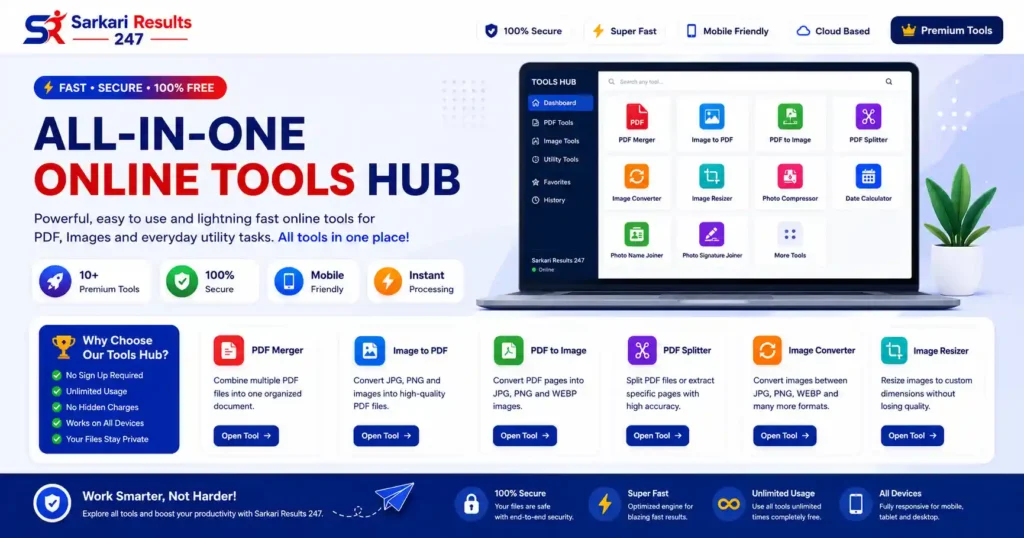
All-in-One Tools Hub
Access every premium tool from one clean dashboard. Merge PDFs, compress photos, convert formats, and resize images instantly with 100% secure local browser processing.

PDF Merger
Securely combine multiple PDF files into one organized document with drag-and-drop sorting.
PDF Splitter
Extract specific pages, use custom ranges, or separate all PDF pages into a ZIP archive instantly.
PDF to Image
Convert your PDF pages into high-resolution JPG, PNG, or WEBP image formats locally.
Image to PDF
Compile multiple JPG, PNG, and WEBP photos into a single, high-quality PDF document.
Photo Compressor
Reduce image file size significantly without losing visible quality for faster web uploads.
Image Resizer
Change photo dimensions instantly. Perfect for online application forms and passports.
Image Converter
Convert images between popular formats like JPG, PNG, BMP, and WEBP within your browser.
Signature Joiner
Automatically merge your passport photo and digital signature vertically for official forms.
Photo Name Joiner
Embed your name and date directly onto your passport photo for exam applications.
Date Calculator
Calculate exact age, days between dates, and future/past dates for application forms.
No tools found matching your criteria. Try different keywords!
The Ultimate All-in-One Online Tools Hub for Digital Productivity
Welcome to the most comprehensive and technologically advanced All-in-One Online Tools Hub available on the internet today. In an era where digital documentation forms the backbone of modern education, corporate workflows, and government applications, managing your digital assets efficiently is no longer a luxury—it is an absolute necessity. Whether you are a student rushing to upload assignments, a job seeker applying for competitive government exams on Sarkari Results, or a business professional organizing critical legal documents, navigating between dozens of different, unsecure websites to modify your files is a massive drain on your productivity.
Our All-in-One Online Tools Hub resolves this massive friction point by unifying every essential digital utility under one sleek, highly responsive, and totally secure dashboard. From merging heavy PDF files to compressing passport-sized photographs to exact kilobytes, our platform delivers enterprise-grade utility directly to your web browser. With the All-in-One Online Tools Hub, navigating between dozens of different applications is a thing of the past.
Why Centralize Your Workflow with an All-in-One Online Tools Hub?
The internet is saturated with single-purpose tools. You might find a website to compress a photo, another to merge a PDF, and yet a third to calculate your age for an application form. This scattered approach destroys efficiency and introduces massive privacy risks. Here is why adopting the All-in-One Online Tools Hub transforms your digital experience completely:
- Unmatched Workflow Efficiency: Having your PDF utilities, image editors, and calculators accessible from a single, organized grid means you can complete multi-step tasks in fractions of the time it normally takes.
- Consistent, Premium User Interface: Every tool within our All-in-One Online Tools Hub shares a unified design language. Once you learn how to drag-and-drop files in our PDF Merger, you instantly know how to operate the Photo Compressor.
- Live Search and Instant Filtering: Our dynamic JavaScript-powered search bar inside the All-in-One Online Tools Hub allows you to type what you need—like “Compress” or “Split”—and the grid instantly filters to show you the exact tool.
- Absolute Data Privacy: The most critical advantage of the All-in-One Online Tools Hub is security. We utilize modern HTML5 client-side processing, ensuring your confidential files never leave your computer.
Deep Dive: The Premium PDF Management Suite
Portable Document Format (PDF) files are the global standard for formal documentation. Our All-in-One Online Tools Hub democratizes PDF manipulation by offering incredibly powerful, free utilities natively.
Premium PDF Merger
The PDF Merger tool inside our All-in-One Online Tools Hub is a lifesaver for organizing fragmented information. Imagine you have scanned five separate pages of a contract. Instead of sending five separate attachments, our Merger allows you to combine them into one seamless document via an interactive drag-and-drop workspace.
Premium PDF Splitter & Extractor
Conversely, dealing with massive reports when you only need a specific chapter is frustrating. The PDF Splitter in the All-in-One Online Tools Hub allows you to upload heavy documents, view live thumbnail previews, and visually select exactly which pages you want to extract securely.
Image Optimization in the All-in-One Online Tools Hub
Applying for online forms, especially for competitive exams or government jobs, comes with extremely strict digital media guidelines. The image editing suite inside the All-in-One Online Tools Hub handles these strict parameters effortlessly, ensuring your uploads are never rejected.
Advanced Photo Compressor
High-resolution smartphone cameras generate photos that are often 5MB to 10MB in size. Most application portals reject files larger than 100KB. The Photo Compressor in our All-in-One Online Tools Hub utilizes smart lossy compression to aggressively reduce file weight while preserving visual clarity.
Automated Photo Signature Joiner
A specific requirement for many exam portals is uploading a single image containing both a passport photo on top and a digital signature underneath. Doing this manually requires technical skill. Our All-in-One Online Tools Hub features a Photo Signature Joiner tool that automates this entirely, stitching them together with precise vertical alignment.
The Technology Behind the All-in-One Online Tools Hub
To truly appreciate the power of our All-in-One Online Tools Hub, one must understand the Client-Side Processing technology driving it. Traditionally, online file editors rely on server-side processing, where your files are uploaded across the internet.
This legacy method exposes your data to massive security risks. Once your file leaves your computer, you have zero control over who sees it.
Our entire All-in-One Online Tools Hub operates exclusively via local browser APIs using the advanced PDF.js library. This means the code required to merge, compress, and convert is executed locally inside your device’s RAM. Your internet connection is only used to load the website; the actual file manipulation requires zero bandwidth, ensuring maximum security and blazing-fast speeds.
Frequently Asked Questions (FAQs)
Is this All-in-One Online Tools Hub really free?
Yes. Every single tool hosted within our Hub—from the PDF Merger to the Photo Compressor—is completely free to use. There are no hidden fees, no watermark impositions, and no usage limits. We believe that essential utility software should be freely accessible to everyone.
Do I need to download or install any software?
No installation is required. The Hub operates entirely within modern web browsers (Google Chrome, Mozilla Firefox, Apple Safari, Microsoft Edge). As long as you have a modern browser, you have full access to our entire premium suite without clogging up your hard drive.
Are my private files safe when using these tools?
Absolutely. Because our tools utilize client-side, local browser processing, your files are never uploaded to our servers or any cloud storage. They are processed entirely within your device’s physical memory, ensuring maximum data privacy for highly confidential legal and financial documents.
Can I use these tools on my mobile phone?
Yes. The entire Hub and all individual tools have been meticulously coded with responsive web design. The grids, buttons, and drag-and-drop zones will automatically adapt to fit perfectly on the screens of Android smartphones, iPhones, and iPads, allowing you to edit files on the go.
Why did my photo lose quality after compressing it?
Image compression inherently involves removing redundant pixel data to reduce file size. Our Photo Compressor uses “smart lossy” algorithms to find the perfect visual balance. If the output looks too blurry, try adjusting the compression slider to a slightly higher quality setting before downloading the final file.
Can the PDF Splitter tool handle password-protected files?
For strict security and encryption reasons, the browser-based engine requires you to input the correct password to unlock and read the PDF before it can extract or split the pages. If the file is permanently locked and you do not possess the master password, the tool cannot manipulate the file vectors.
Is there a limit on how many PDFs I can merge at once?
Our tool does not place an artificial limit on the number of files you can combine. However, because the merging happens in your computer’s RAM, extremely large batches (e.g., merging 100 massive files simultaneously) might cause slower, older devices or mobile browsers to crash due to memory exhaustion. For extremely heavy workloads, we recommend merging in smaller batches.
Will the PDF to Image tool ruin the formatting of my text?
No. We utilize high-fidelity rendering engines that read the raw vector data of the PDF document. When converting a PDF page into a JPG or PNG, the text will remain razor-sharp and true to the original font formatting, provided you select the HD or Ultra HD export quality settings within the tool’s dashboard.