1 Best Image Converter Tool: Convert, Compress & Resize Photos Free
Ultimate Image Converter
Convert, Compress, and Resize Single or Multiple Images Instantly.
Click to Upload Images
Supports Bulk Batch Mode
Loaded Images
Explore More Free Tools
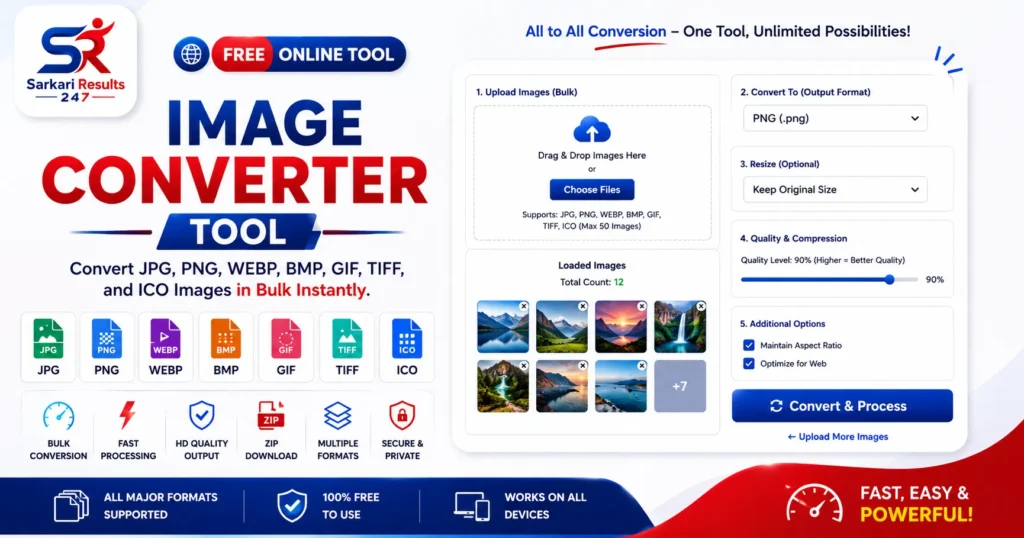
Image Converter Tool :- Are you encountering frustrating errors while uploading a photo because the website exclusively accepts JPG formats, but your image is saved as a PNG or WEBP? Do not worry, our highly advanced Image Converter Tool is the perfect solution for you. This utility allows you to seamlessly convert, compress, and resize your digital images simultaneously, directly within your web browser.
What is an Image Converter Tool?
An Image Converter Tool is an essential digital utility that allows you to change the file format of a picture from one type to another seamlessly. For example, changing a PNG file to a JPG, or a JPG to a WEBP format. Different websites, applications, and digital platforms possess specific technical requirements. If you try to upload a modern WEBP image to an older government portal, it will likely be rejected. This is exactly where our free, browser-based converter helps.
According to standard technical documentation on Image File Formats, formats like JPG are best for detailed photographs, PNGs are preferred for transparent graphics, and WEBP is highly optimized for fast web loading. Our tool helps you transition dynamically between 8 different formats without losing the core visual quality of your photos.
Why Should You Use This Converter?
Understanding when and why to convert an image format can significantly streamline your digital workflow. This sophisticated tool is specifically designed to overcome the most common digital hurdles faced by users daily:
- Form Application Rejections: Strict government examination portals exclusively accept JPG or JPEG formats. If your mobile device captured a photo in PNG format, you must convert it prior to uploading.
- Website SEO and Page Speed: Using heavy PNG files for standard photographs consumes bandwidth. Converting those PNGs to next-generation formats like WEBP can dramatically increase your website’s speed and SEO ranking.
Best Features of Our Image Converter Tool
We believe in providing premium software capabilities right inside your browser without any subscription fees. Review the core features integrated into our platform:
Core Converter Features
- JPG, PNG, WEBP, BMP Conversions
- Advanced Batch/Bulk Image Conversion
- Convert + Compress Together Mode
- Resize While Converting Configuration
- Transparent Background Fill automatically
User Experience (UX) Features
- Drag & Drop Bulk Thumbnails UI
- 100% Secure Client-Side Processing
- One Click Download for all files
- Instagram & Passport Social Presets
- Quality Selector Slider adjustment
How to Use This Image Converter Tool
Our tool has been meticulously designed to be highly intuitive, ensuring that even non-technical users can process their files in mere seconds. Follow these easy step-by-step instructions:
- Step 1: Scroll to the tool interface. Click the Drag & Drop box and select one or multiple photos from your device.
- Step 2: In the control panel, select your desired output format (JPG, PNG, WEBP, etc.).
- Step 3: If needed, select a resize preset like ‘Passport Photo’ or adjust the quality slider to compress the file simultaneously.
- Step 4: Click the blue “Convert & Process” button. The tool will process your images instantly and mark the thumbnails green.
- Step 5: Click the green “Download All Images” button to save all your formatted files locally.
Frequently Asked Questions (FAQs)
Is this Image Converter Tool safe to use for private documents?
Absolutely. Our tool operates completely locally within your internet browser utilizing JavaScript. Your private photos, signatures, and ID cards are never uploaded to any external server. Complete privacy is guaranteed.
What happens if I convert a transparent PNG to a JPG?
The JPG format does not support transparent backgrounds. To prevent your transparent areas from turning completely black (a common error in basic converters), our smart algorithm automatically fills the transparent background with a clean white color during the conversion.
Can I compress and resize the image while converting it?
Yes! This is what makes our tool exceptionally powerful. You can select a new format, apply a preset dimension (like Instagram or Passport size), and reduce the quality slider to compress it—all in one single click.
Is there a limit on how many images I can convert?
No, there are zero restrictions. You can use our Image Converter Tool for batch processing as many times as you want, completely free of charge. There are no daily limits or premium paywalls.
Can I use this tool on my mobile phone?
Yes, the user interface is fully mobile-responsive. Whether you are using an Android device, an iPhone, or an iPad, you can easily select images from your camera roll and convert them on the go.