PDF Merger Tool: Fast, Secure & Free
PDF Merger
Click or Drag Files Here
Supports multiple PDFs and ZIP uploads
Explore More Free Tools
PDF Merger Tool : Are you struggling to manage dozens of fragmented digital documents? Welcome to the ultimate solution for document organization. Our world-class Premium PDF Merger Tool is precisely engineered for professionals, university students, and business owners who frequently handle scattered files. Whether you need to compile monthly corporate invoice statements, join extensive academic research papers, or seamlessly organize scanned medical records, managing separate files is incredibly inefficient. By utilizing our dedicated Premium PDF Merger Tool, you drastically simplify your daily workflow, ensuring that all critical data is contained securely within a single, continuous, and highly organized file.
Unlike outdated desktop software or expensive, subscription-based cloud services, our highly advanced Premium PDF Merger Tool operates 100% within your web browser. We have developed a top-tier user interface that directly rivals expensive enterprise platforms, yet it remains completely free for public use. Experience smooth drag-and-drop page sorting, real-time live thumbnail generation, and instantaneous processing speeds powered by state-of-the-art local rendering technology.
Step-by-Step Guide: How to Use the Premium PDF Merger Tool
We firmly believe that powerful software should not require a massive learning curve or a technical manual. Our interactive Premium PDF Merger Tool dashboard is built for absolute speed and accessibility. Follow this straightforward, step-by-step guide to combine your vital documents effortlessly:
- Step 1: Upload Your Files Instantly: Begin by clicking the glowing drop-zone at the top of the Premium PDF Merger Tool. You can either select multiple files directly from your computer's hard drive or simply drag and drop them straight into the browser window. We also support bulk ZIP uploads for massive file archives.
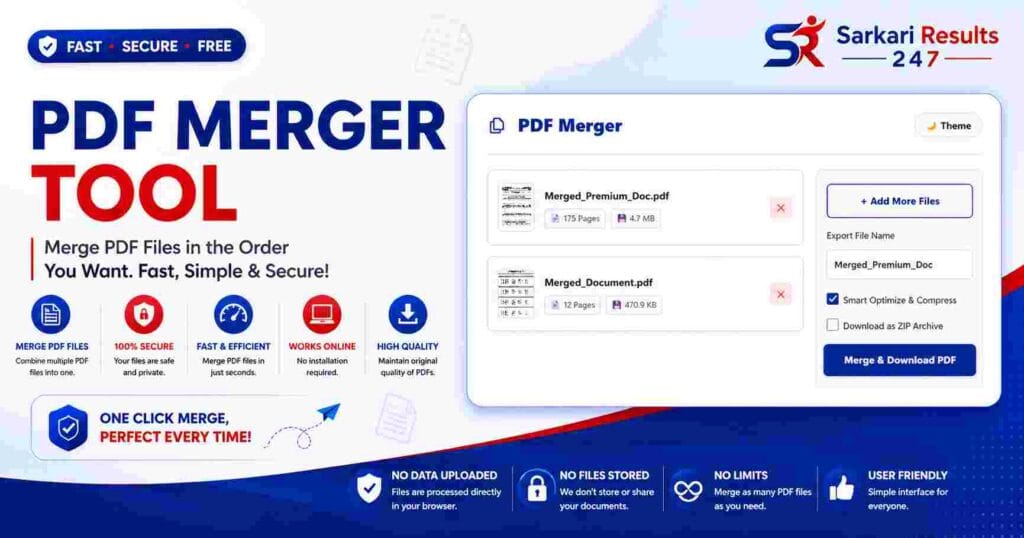
- Step 2: Review File Details & Live Previews: Once uploaded, your files will generate visually stunning thumbnail cards within the workspace. The Premium PDF Merger Tool extracts the exact page count, filename, and calculated file size for each document via PDF.js, allowing you to visually verify your uploads instantly.
- Step 3: Drag and Reorder Documents: This is where the Premium PDF Merger Tool shines. Click, hold, and drag any file card up or down the list to alter the merging sequence. The final compiled document will be created in the exact top-to-bottom order you construct here.
- Step 4: Rename and Configure Output: Before executing the merge, utilize the settings panel on the right. Type in your desired custom filename. You can also toggle "Smart Optimize & Compress" to automatically reduce the final file size without quality loss, or select "Download as ZIP" for easier local storage management.
- Step 5: Merge and Download Securely: Finally, click the primary "Merge & Download PDF" button. A dynamic progress bar will track the rendering engine's exact status. Once finalized, your newly merged PDF document will automatically and securely download straight to your device.
Unmatched Premium Features of Our Merger Workspace
What sets our application apart from generic, basic online utilities? We have equipped our Premium PDF Merger Tool with a vast array of high-end features designed to accelerate your productivity and protect your privacy entirely.
Advanced Interactive UI & Drag-and-Drop Organization
Document organization should be a visually intuitive experience. Our Premium PDF Merger Tool features a highly responsive UI that makes document sorting incredibly satisfying and completely error-free.
- Smooth HTML5 Drag & Drop File Uploads
- Interactive, Reorderable Thumbnail File Cards
- Live Display of File Names, Sizes, and Page Counts
- One-Click File Removal from the Processing Queue
- Add More Files Continuously Without Losing Progress
- Dark Mode Support for Reduced Eye Strain
- Custom Output Renaming Capability Before Download
- Dynamic Visual Progress Bar Integration
Uncompromising Speed & Massive Capacity Limits
Do not let massive document archives slow you down. The core architecture powering our Premium PDF Merger Tool is engineered specifically to handle heavy, professional workloads seamlessly.
- Bulk PDF Upload and Fast Batch Processing
- Merge Unlimited PDFs Simultaneously
- Integrated ZIP Upload Support for Extracting PDFs
- ZIP Download Support for Archiving Merged Files
- Instantaneous Local Processing Speed
- Fast Multi-Thread Processing Capabilities
- Preserves Original HD Document Quality
- AI Smart Optimization Ready (Object Stream Compression)
Total Data Privacy and Zero Cloud Security
Your confidential documents are strictly your business. Our Premium PDF Merger Tool guarantees your data security by utilizing advanced local processing protocols rather than risky cloud server uploads.
- 100% Secure Local Processing Engine
- Zero Cloud Server Uploads (Cloud Free Processing)
- Maximum Protection for Confidential Financial Files
- No Tracking or Hidden Data Harvesting Mechanics
- Offline Browser Processing Capabilities
- No Watermark Added to Your Exported Files
- Absolutely No Account Signup Needed
- Unlimited Usage with Free Online Access
Why Local Browser Processing Makes This Tool Superior
When you utilize a typical, older PDF utility online, the website effectively forces your browser to upload your highly private files to an external, third-party server. That remote server executes the merging procedure and then forces you to download the new file. This outdated methodology is critically flawed for two distinct reasons: Speed and Security.
Firstly, uploading 100MB of PDF files over a standard internet connection takes a significant amount of time. You are effectively stuck waiting on a tedious loading screen. Secondly, and far more importantly, uploading sensitive files—such as corporate legal contracts, personal bank statements, or personally identifiable data—to an unknown remote server is an undeniable privacy risk. Even if a website legally claims they delete your files after an hour, your sensitive data has still left the confines of your secure device.
Our highly sophisticated Premium PDF Merger Tool completely eliminates this risk by utilizing the acclaimed `pdf-lib` and `pdf.js` libraries natively via JavaScript. This breakthrough technology dictates that the entire rendering and merging process happens directly inside your computer's local memory (RAM). Your web browser acts as the engine. The files never traverse the internet, ensuring absolute, 100% data privacy while simultaneously making the document combination process virtually instantaneous, completely regardless of your internet connection speed.
Frequently Asked Questions (FAQs)
Is the Premium PDF Merger Tool genuinely free to use?
Yes, absolutely. Despite its premium interface and highly advanced features, our Premium PDF Merger Tool remains completely free. We firmly refuse to restrict critical features behind annoying paywalls, and we do not limit how many documents you are allowed to merge per day.
Will using the Premium PDF Merger Tool reduce the quality of my original documents?
No, your quality is safe. Our conversion engine is strictly structural. The Premium PDF Merger Tool simply isolates the existing data arrays from your uploaded files and stitches them together flawlessly. It preserves original fonts, maintains vector quality, and never degrades the resolution of your high-definition images.
How does the ZIP Upload feature work within the Premium PDF Merger Tool?
If you have an archive containing dozens of PDF files, uploading them one by one is tedious. Our Premium PDF Merger Tool allows you to drag and drop a .zip file directly into the workspace. The tool's integrated JSZip engine instantly unpacks the archive locally, extracts all the PDFs, and populates them into your workspace automatically.
Can I rearrange the exact order of my pages before merging?
Yes! Organization is key. Once you upload your files into the workspace, you can easily click, hold, and drag any file card up or down the visual list. The Premium PDF Merger Tool will then combine the files in the precise top-to-bottom sequence you have meticulously created.
Does the Premium PDF Merger Tool work smoothly on smartphones and tablets?
Yes, optimization is our priority. We have fully optimized the CSS and backend UI logic of the Premium PDF Merger Tool to ensure it operates flawlessly on smaller touch screens. Whether you are using an iPhone, an iPad, or a high-end Android device, the drag-and-drop mechanics and merging functions will perform smoothly via your mobile browser.