1 Best Photo Signature Joiner Tool: Combine Images Online Free
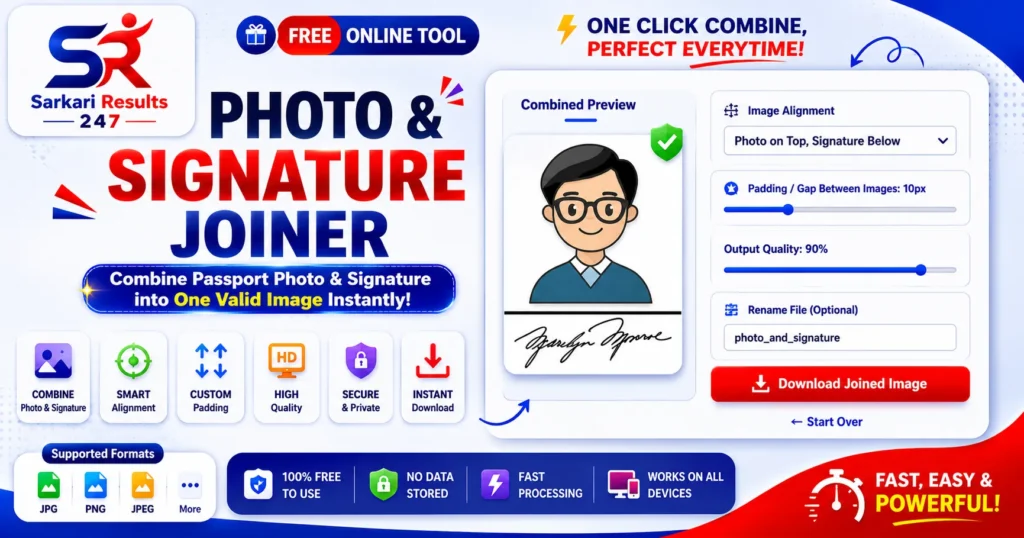
Are you applying for a government job, university exam, or professional certification and need to merge your passport photo with your signature? You are in the right place. Our powerful Photo Signature Joiner Tool is designed to combine your photograph and signature into a single, perfectly aligned image file in just a few seconds.
Gone are the days when you had to rely on complex photo editing software like Photoshop or pay cyber cafe owners just to align your pictures. With our dedicated browser-based utility, you can merge your ID photo and digital signature flawlessly without losing clarity.
Explore More Free Tools
What is a Photo Signature Joiner Tool?
A Photo Signature Joiner Tool is an essential online application explicitly developed to combine two separate image files—typically a passport-sized photograph and a scanned handwritten signature—into a single, consolidated JPG or PNG file. This is highly required for filling out Indian government job forms (Sarkari Naukri), bank account applications, and university entrance examinations.
According to standard Digital Image Processing guidelines, maintaining the correct aspect ratio while merging images is critical so the face or signature does not look stretched. Our tool automatically calculates the dimensions and scales your signature to perfectly fit beneath your photo, ensuring a professional and valid output.
Why Use Our Online Photo Signature Joiner Tool?
If you are applying for competitive exams, you already know the strict guidelines authorities mandate. Here is why using our specific joining tool is a smart choice:
- Perfect Alignment: Doing this manually on a mobile phone often results in crooked or uneven images. Our system mathematically aligns the signature perfectly in the center.
- Saves Time and Money: No need to download heavy applications or visit a local studio. Combine files in seconds directly from your smartphone or PC.
- Automated Scaling: The tool automatically adjusts the width of your signature to match the width of your passport photo, creating a seamless final image.
Best Features of Photo Signature Joiner Tool
We provide all the premium editing features you need, right here in your browser for free:
Core Joining Features
- Vertical Merge (Photo on top, Signature below)
- Horizontal Merge (Photo left, Signature right)
- Auto-width scaling for perfect fit
- Adjustable padding/gap between images
- Solid white background generation
Export & Privacy Features
- 100% Client-Side Processing (Complete Privacy)
- Custom quality adjustment slider
- Live instant preview
- Custom file renaming
- High-resolution JPG export
How to Combine Photo and Signature By Using Photo Signature Joiner Tool
Our tool is incredibly straightforward. Follow these instructions to generate your combined image instantly:
- Step 1: Go to the tool area and click “Upload Photo” to select your passport image.
- Step 2: Click “Upload Signature” to add your scanned signature image.
- Step 3: Once both images are loaded, click the “Proceed to Combine” button.
- Step 4: In the control panel, choose your layout (Vertical is standard for forms). Adjust the gap and quality slider as needed.
- Step 5: Check the live preview, and click the green “Download Joined Image” button to save it!
Frequently Asked Questions (FAQs) Photo Signature Joiner Tool
Is my photograph and signature data secure?
Yes, absolutely. Your images are never uploaded to any remote server. The merging process utilizes local JavaScript technology, meaning everything happens entirely inside your own browser.
Which layout should I choose for Sarkari forms?
For almost all Indian government examinations (SSC, UPSC, Banking), you should select the “Vertical (Photo on Top, Signature Below)” layout.
The output image size is too big, what should I do?
If the final joined image exceeds the KB limit of your application form, you can either reduce the “Output Quality” slider in this tool, or download the image and run it through our Photo Compressor Tool to reduce the file size precisely.