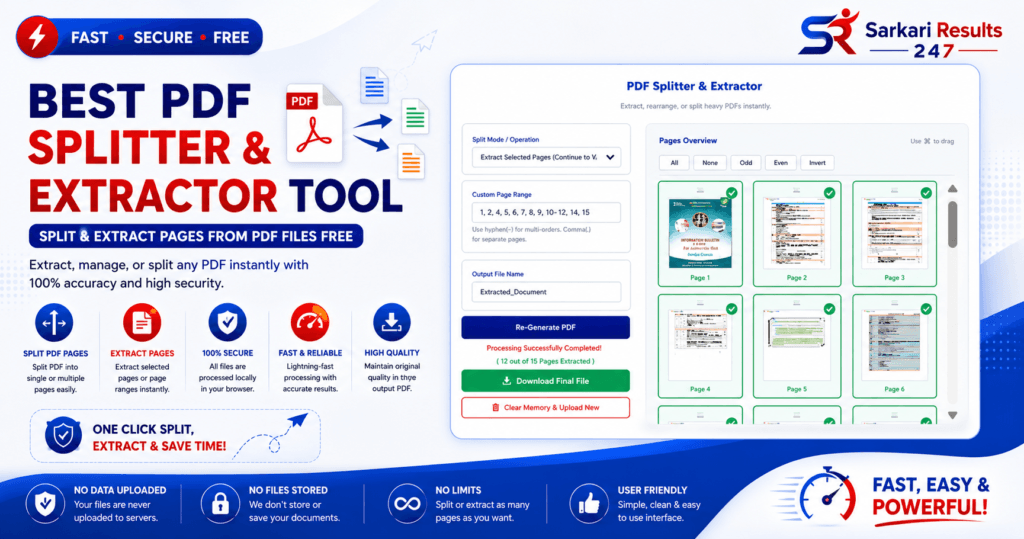
1 Best PDF Splitter & Extractor Tool: Split & Extract Pages Free
PDF Splitter & Extractor
Extract, rearrange, or split PDFs instantly without losing quality.
Click or Drop PDF File Here
100% Secure & Offline Browser Processing
Click pages on the right to select.
Rearrange & Select Pages
Review Final Document
Explore More Free Tools
Are you struggling with a massive PDF document containing hundreds of pages when you only need a specific section? Whether you are a student trying to isolate a single chapter of an e-book, a professional separating confidential invoice pages, or an applicant attempting to extract an admit card from a large notification brochure, handling heavy PDFs can be a nightmare. Our advanced PDF Splitter & Extractor Tool is engineered to solve these exact problems securely and instantly.
According to documentation from Adobe Acrobat, splitting a PDF accurately requires preserving the original source code, formatting, and fonts of the document. Unlike basic tools that degrade quality by converting pages to images first, our tool utilizes deep client-side extraction logic. This ensures that every text layer, vector image, and table format remains perfectly intact, exactly as the creator intended.
What is a PDF Splitter and Extractor?
A PDF Splitter is a utility designed to break down a single Portable Document Format (PDF) file into multiple, smaller files. According to Wikipedia’s definition of PDF structuring, PDFs encapsulate text, fonts, and graphics independently. An extractor accesses this encapsulation and safely isolates only the specific pages you request.
Our tool goes beyond simple splitting by offering a visually interactive canvas. Instead of blindly typing page ranges, our system renders a high-definition thumbnail of every single page in your document using Smart Lazy Loading. You simply click the pages you want to keep. This visual methodology guarantees zero mistakes during extraction.
Premium Features of Our PDF Splitter Suite
We provide a comprehensive set of features, bringing premium offline software capabilities directly to your web browser. Here are the core functionalities integrated into our platform:
Core Splitting & Extraction Modes
- Extract Selected Pages into a single combined PDF
- Split PDF by Specific Pages or Custom Range input
- Split every single page into separate PDF files
- Download multiple separated files natively via ZIP archive
- Interactive Grid Selection with Odd/Even & Invert keys
- Mobile-friendly touch-drag handles to visually rearrange pages
- Extract pages without any quality loss or rasterization
- Preserve original formatting, vector fonts, and HD images
User Experience & Advanced Processing
- Memory Optimized Lazy Loading for 200+ page PDFs
- Native Support for Password Protected PDF files
- Live Extraction Progress Bar with Cancel Option
- Live PDF Preview before final download
- 100% Offline Browser Processing (Secure Local Processing)
- Cloud-free execution ensures maximum data privacy
- Auto Dark Mode Detection for comfortable reading
- Complete Canvas Memory Cleanup to prevent browser freeze
How to Split and Extract PDF Pages Free Online
Following Google Web Fundamentals for accessibility, our tool has been meticulously designed to be highly intuitive. Follow these step-by-step instructions to manipulate your document:
- Step 1 (Upload): Navigate to the top of the interface and click the Drag & Drop box to upload your source PDF file. If the file is locked, you will be prompted for a password.
- Step 2 (Select & Arrange): Wait a few seconds as our rendering engine generates interactive thumbnails. Click to select pages (use Shift+Click for bulk selection). You can also use the drag handles (☰) to rearrange their order in the final document.
- Step 3 (Choose Mode): In the control panel, choose your Operation. You can merge the selected pages into one new PDF, or choose “Burst” to download every page as its own separate file in a ZIP folder.
- Step 4 (Process): Enter a custom filename and click the “Process Document” button. A live progress bar will show the extraction status, and you can cancel it anytime.
- Step 5 (Preview & Export): A Live Preview will appear showing your newly created PDF. If it looks perfect, click the download button to securely save your new files.
Why Choose Our PDF Splitter & Extractor Tool?
Our PDF Splitter & Extractor Tool is designed for students, office professionals, businesses, and government exam aspirants who need a fast and secure way to split PDF files online. Unlike low-quality tools that reduce formatting and image quality, this PDF Splitter & Extractor Tool preserves the original layout, fonts, tables, and graphics perfectly.
PDF Splitter & Extractor Tool for Students
Students often download large PDF books, notes, and assignments. Using our PDF Splitter & Extractor Tool, students can easily separate important chapters, extract assignments, and organize study materials without downloading heavy software.
PDF Splitter & Extractor Tool for Government Exams
Government job aspirants frequently download recruitment notifications, admit cards, answer keys, and result PDFs. This PDF Splitter & Extractor Tool allows users to extract admit card pages instantly and save only the important sections.
Extract PDF Pages Without Quality Loss
Most online PDF splitters convert pages into images which reduces quality. Our PDF Splitter & Extractor Tool uses advanced browser-based processing to preserve HD quality and maintain original PDF formatting.
Secure Browser-Based PDF Splitter & Extractor Tool
This PDF Splitter & Extractor Tool processes everything inside your browser. Your files are never uploaded to external servers, making the process highly secure and privacy-friendly.
Split Large PDF Files Online
Large PDF documents can be difficult to manage. Our PDF Splitter & Extractor Tool includes lazy loading, memory optimization, and ZIP extraction support for smooth performance even with huge PDF files.
Rearrange PDF Pages Easily
With drag-and-drop support, users can visually rearrange PDF pages before downloading the final file. This makes the PDF Splitter & Extractor Tool ideal for creating custom PDFs quickly.
Frequently Asked Questions
How do I split PDF pages online free?
Upload your file, select pages, choose extraction mode, and download the final PDF using our PDF Splitter & Extractor Tool.
Is this PDF Splitter & Extractor Tool safe?
Yes. All PDF processing happens locally in your browser without cloud upload.
Can I split password protected PDFs?
Can I split password protected PDFs?
Does splitting reduce PDF quality?
No, this PDF Splitter & Extractor Tool preserves original quality.
Can I rearrange pages before download?
Yes, drag-and-drop rearranging is supported.
Does this tool work on mobile devices?
Yes, the PDF Splitter & Extractor Tool works on Android, iPhone, tablets, and desktops.